Diffuse / Product design & engineering
Diffuse.
Designing the review loop.
An independent project from problem framing to working code: the browser extension, Jira and GitHub apps, and custom OpenAI and Anthropic agents.
Read the case study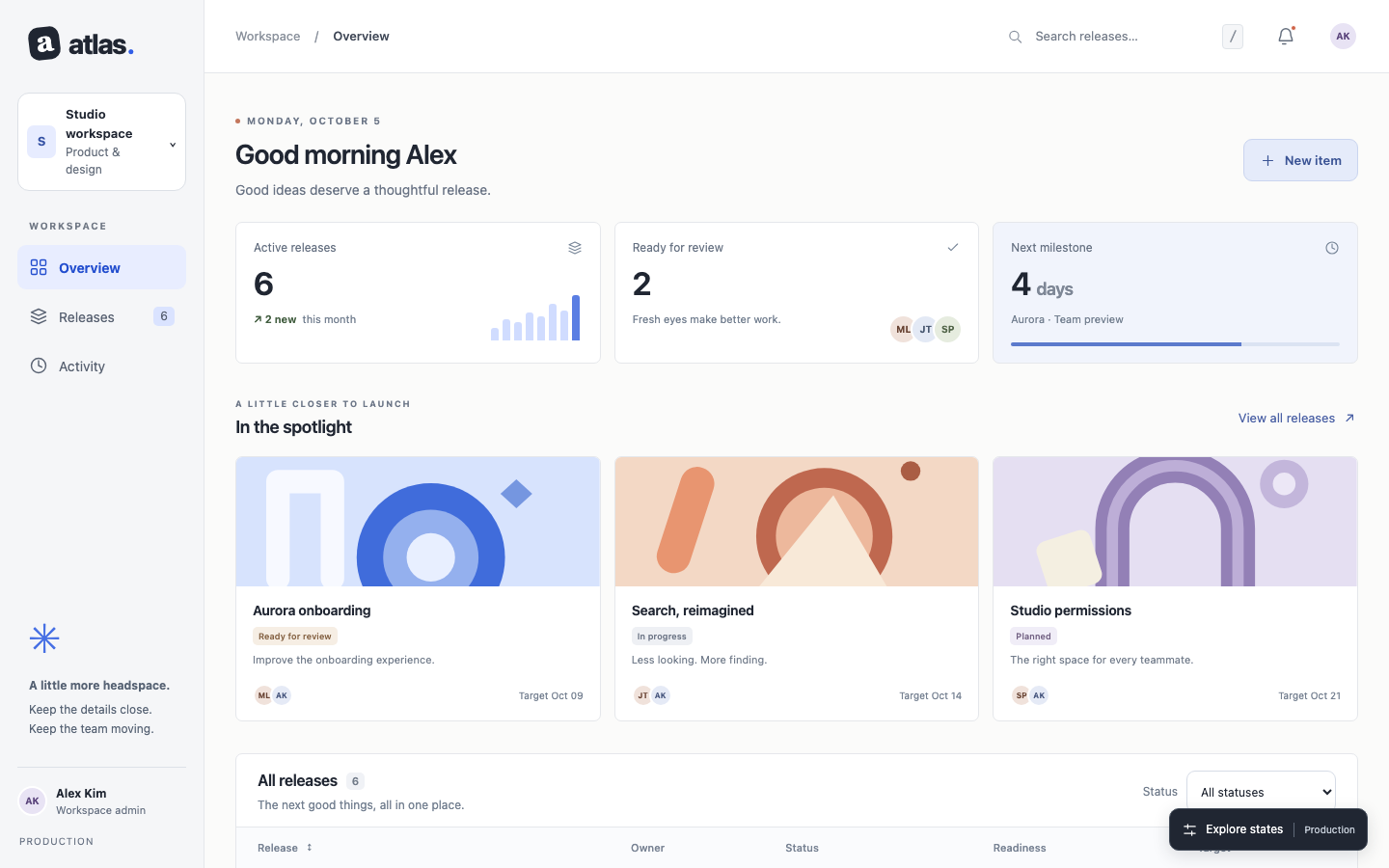
to a change you can check.
01Designing for both sides1 / 1
Maya gives feedback. Alex acts on it.
I designed the review loop around the person raising a question and the person responding to it.
- Maya
- Capture the issue with its page, viewport and evidence.
- Alex
- Understand the context, make a change and return it for review.
- Shared need
- Keep the original observation available through the recheck.

Maya
Giving feedback“How do I make the issue clear?”

Alex
Acting on feedback“Can I reproduce the observation?”
Scenario personas used to frame the design.
02Framing the problem1 / 3
The prototype was here. The feedback was elsewhere.
My prototypes were already in the browser. Reviewing them still meant moving screenshots and explanations elsewhere.
- Lost context
- The page, viewport and state disappeared from the conversation.
- Repeated work
- The same observation was rewritten for every handoff.
- Unclear evidence
- Changed builds and AI conclusions were difficult to check.
Good ideas deserve a thoughtful release.
New item create?”The page and the conversation are still together.
02Framing the problem2 / 3
A screenshot carries the pixels. The context gets left behind.
I used a small fictional Atlas scenario: what does “New item” create? A cropped screenshot could not carry the whole question.
- On the page
- The surrounding interface helps explain the ambiguity.
- After sharing
- Someone has to recover the page, viewport and intended change.
- The opportunity
- Capture that context while it is still available.
02Framing the problem3 / 3
Before the work starts, the feedback gets written again.
I followed one observation from the first question to the next review. Each handoff needed a different piece of context.
- Capture
- The subject, page and state.
- Act
- The expected behavior and supporting evidence.
- Recheck
- The updated preview and the build being checked.
- Page
- Add the reviewed page
- Change to
- Describe the expected behavior
- Evidence
- Attach screenshot again
03From idea to implementation1 / 3
I designed the workflow and built it in code.
I took Diffuse from problem framing and solution ideation to a working Chrome extension, vibe coding with Codex and Claude.
- Design
- Define the review flow, interactions and handoff requirements.
- Build
- Create capture, comparison, portable reviews, integrations and AI workflows.
- Refine
- Try the implementation, review generated code and adjust the interaction.
Frame the problem.
Explore the whole loop.
Vibe-code. Test. Refine.
03From idea to implementation2 / 3
I built the connections around the handoff.
Browser capture was only the beginning. I built the Jira and GitHub apps around what the next person needed to do.
- Jira
- An editable issue preview, project fields, evidence uploads and delivery receipts.
- GitHub
- OAuth sign-in and the Diffuse Review App connect findings, commits and rechecks.
- Portable review
- A file-based handoff when neither service is needed.

Jira
Atlassian OAuth app
An issue with its evidence
GitHub
OAuth + GitHub App
A review beside the PR03From idea to implementation3 / 3
I created agents for specific review responsibilities.
I authored custom OpenAI and Anthropic agents, including their instructions, review criteria, tools and output structures.
- Three responsibilities
- Review screens, attempt a journey, and evaluate its saved evidence.
- Deployment in Settings
- Choose a provider and key; set up the reviewer or journey agents. Diffuse creates, checks and enables them.
- Clear boundaries
- The extension controls browser actions. The evaluator cannot operate the page.


Create definitions. Verify. Enable.
04Mapping the handoffs1 / 3
A question about the experience.
Maya notices a confusing control; Alex needs to understand it. I used a shared review file to connect that handoff.
- Notice
- Pin the confusing control or record the behavior.
- Share
- Export the comments with their page context and evidence.
- Investigate
- Load the review and inspect the original moment before revising.
What will New item create? The next step is unclear.
04Mapping the handoffs2 / 3
A design decision, carried into implementation.
Maya reviews the implementation; Alex makes the change. I connected their comparison and recheck through the GitHub pull request.
- Compare
- Inspect the live reference and save the discrepancy.
- Publish
- Preview the findings and confirm the reviewed commit.
- Return
- Capture the change and mark it ready for recheck.
Clarify the primary action.
The action is ambiguous.
The intent is explicit.
Use Create release, matching the reference.
Updated evidence is captured on this build.
A reviewer checks the result.
04Mapping the handoffs3 / 3
A second pair of eyes, with the reasoning intact.
Maya shares a critique; Alex decides how to refine the design. I preserved the reasoning while leaving room for interpretation.
- Critique
- Inspect hierarchy and copy; accept only useful AI suggestions.
- Share
- Export the considered observations and captured reference context.
- Continue
- Load the evidence and decide what the next iteration needs.
Make the primary action explicit.
The designer inspects the page and chooses what to keep.
05Designing in-place feedback1 / 3
The selected element became the starting point.
I made the selected element the starting point. A reviewer can explain the problem beside its subject, with the interface still visible.
- Pin
- Identify one element or select an area.
- Context
- Save the page and viewport with the observation.
- Example
- Atlas says “New item”; the reference says “Create release.”
05Designing in-place feedback2 / 3
A live comparison preserved the interaction.
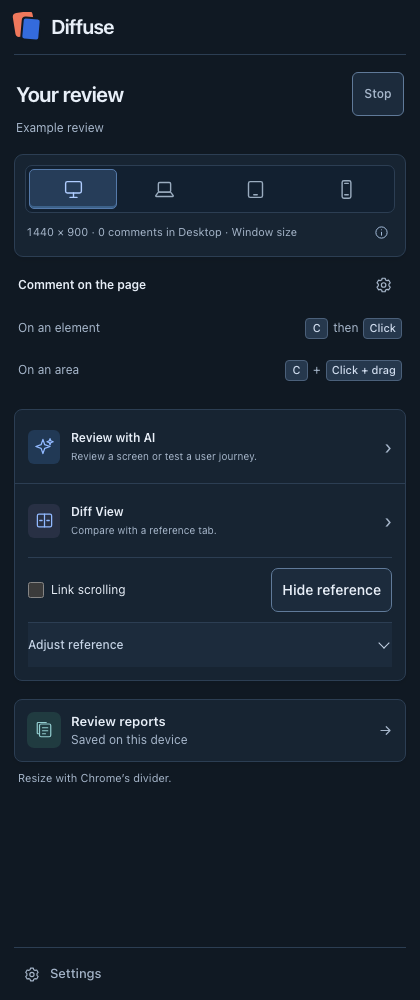
I built a live-tab comparison so the reviewer could inspect the implementation against an interactive reference.
- Align
- Compare both views at the same viewport.
- Inspect
- Move the divider or adjust opacity to reveal differences.
- Repeat
- Check desktop and phone layouts before capturing the finding.
Move the divider. Inspect the difference.
Compare the reference and implementation in the same view. Here, the primary action changes from “New item” to “Create release.”
Lower it to see the production page through the reference.
05Designing in-place feedback3 / 3
The viewport is part of the feedback.
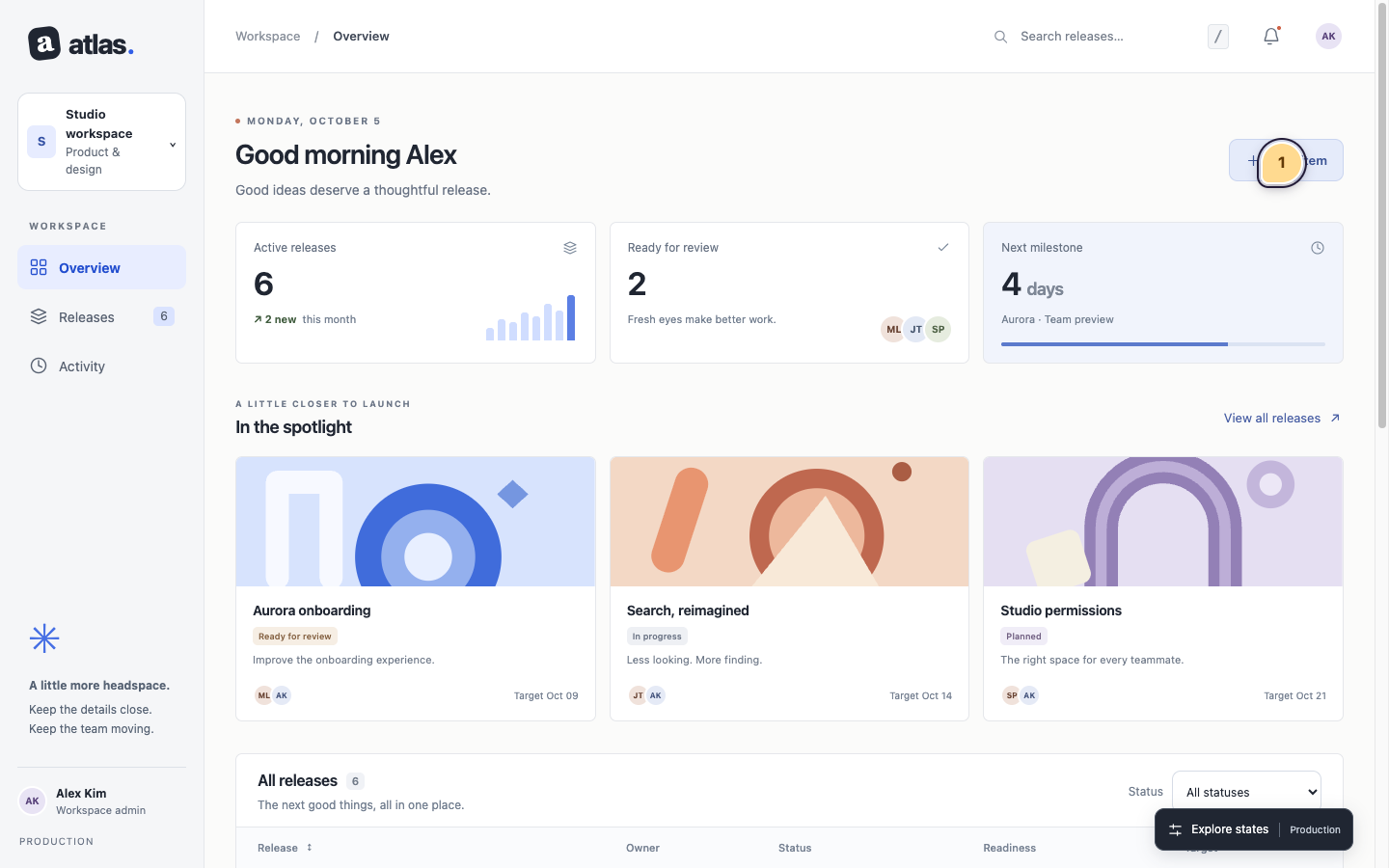
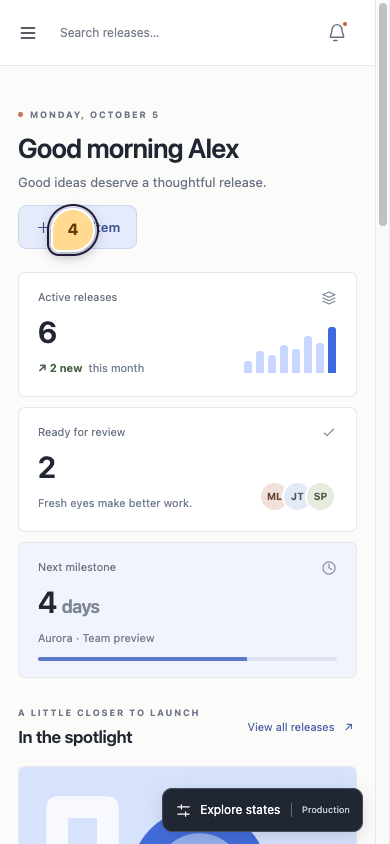
The same action can wrap, move or become harder to find on a phone. I treated viewport size as part of the observation.
- Capture
- Keep the reviewed viewport with the feedback.
- Reproduce
- Reopen the layout at the size that prompted the issue.
- Recheck
- For Atlas: check the label, release form and keyboard access across sizes.
06Refining the interaction1 / 3
I moved the comment beside its subject.
The first design asked for title, component and state too soon. I moved the composer beside the selected element and made the comment the starting point.
- Start small
- A comment first; expected behavior is optional.
- Keep choices compact
- Category and severity become dropdowns.
- Expand when useful
- Reproduction steps and evidence stay within reach.
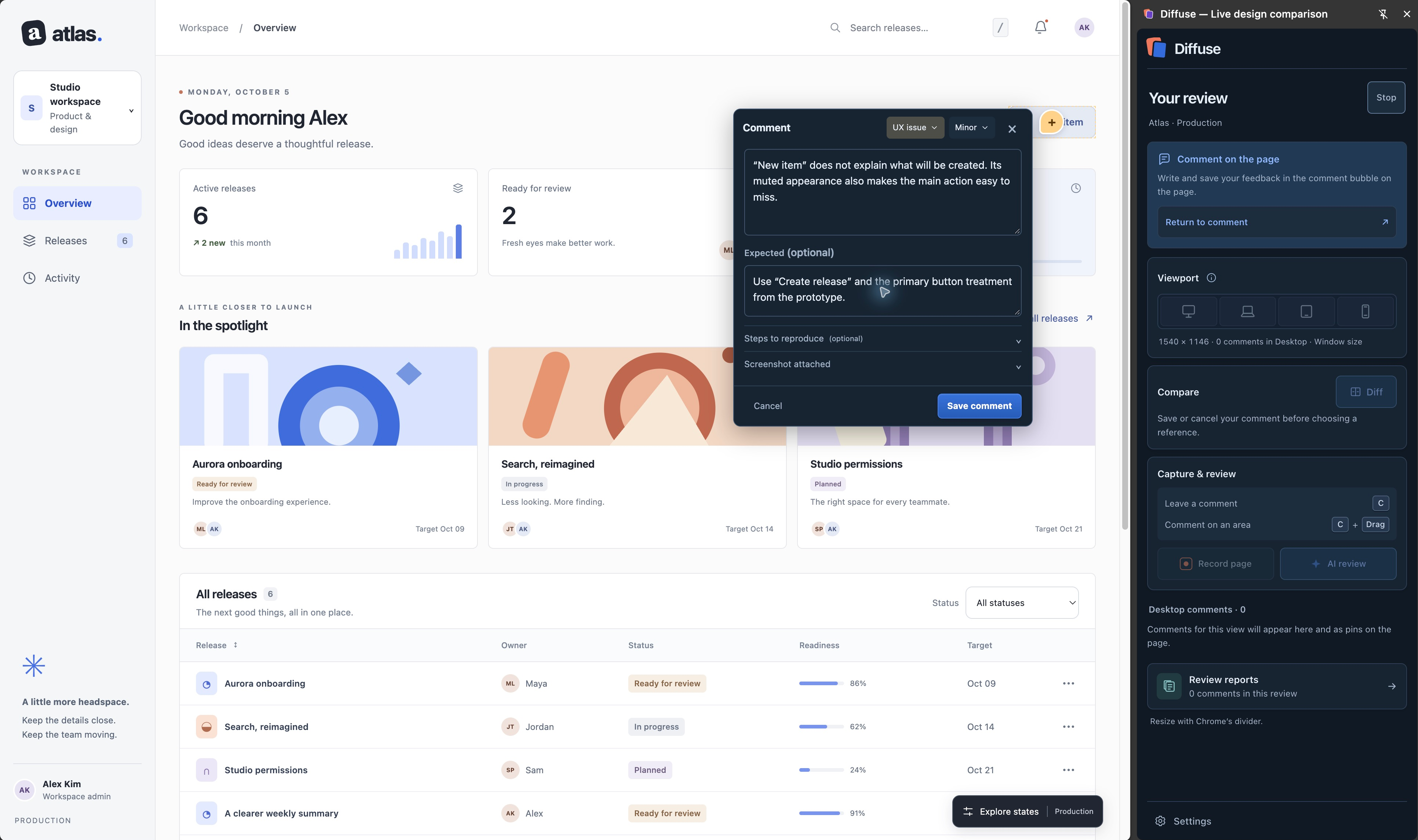
Design iterationSee the earlier sidebar
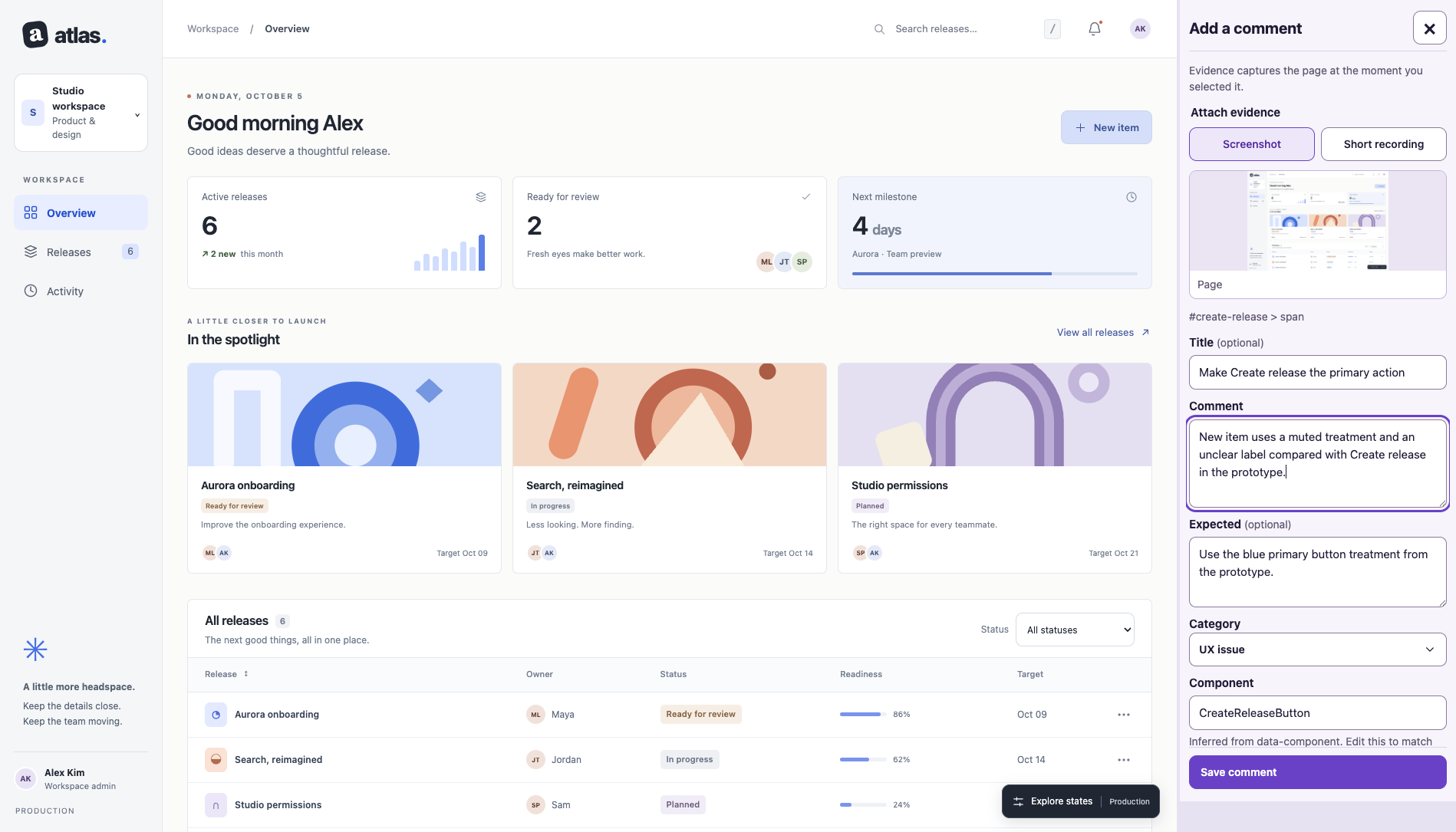
The sidebar separated the thought from its subject. The revision keeps capture on the page and lets detail expand when needed.
06Refining the interaction2 / 3
Supporting detail stayed close to the comment.
Simplifying the composer should not make a detailed issue harder to explain. Supporting material stayed with its comment.
- Explain
- Add reproduction steps when the behavior needs context.
- Show
- Attach or inspect a screenshot or recording.
- Extend
- Turn a short observation into a reproducible issue without starting again.
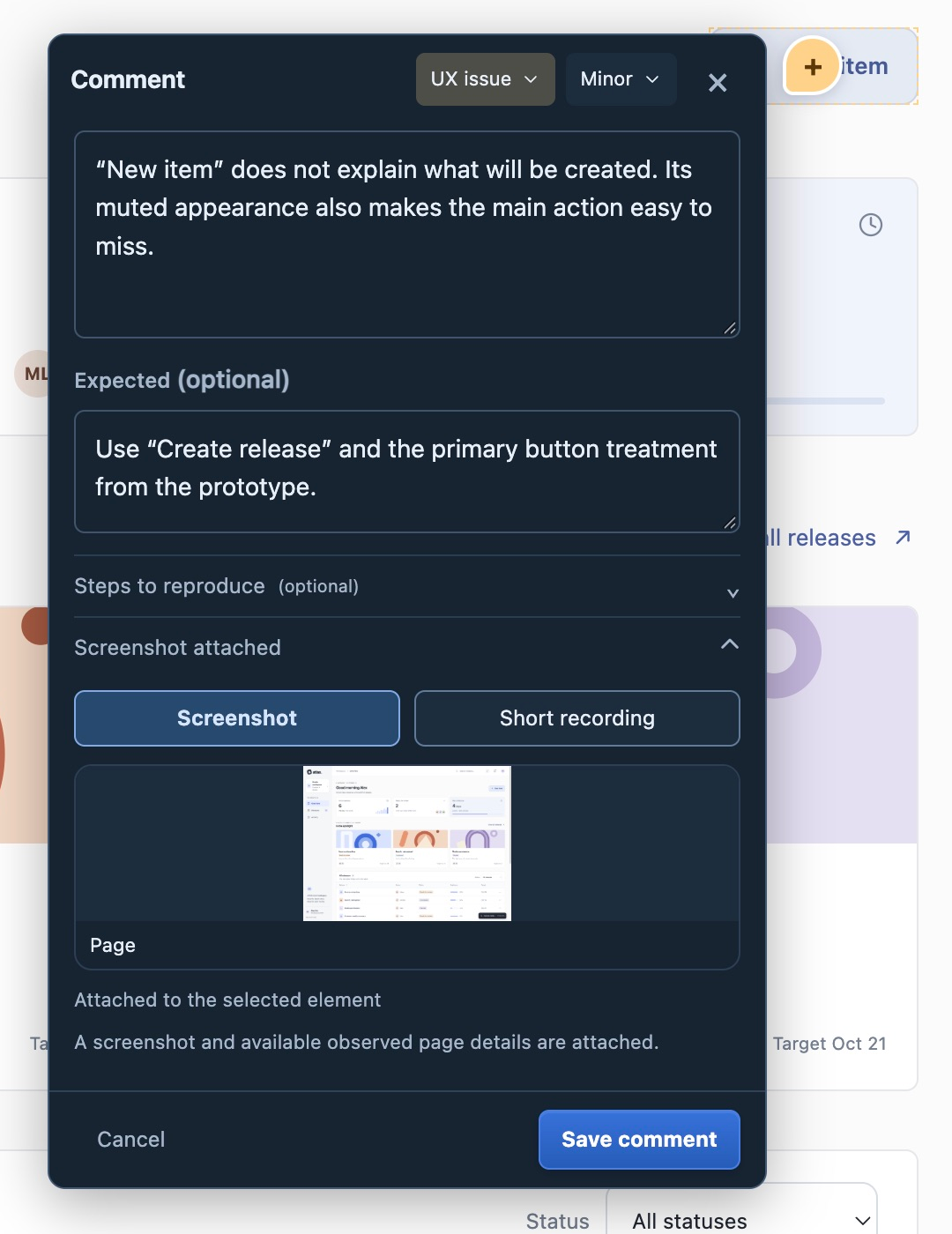
06Refining the interaction3 / 3
Behavior needed more than a screenshot.
In the Atlas example, Save reveals a three-character minimum only after submission. The screenshot shows the error, but misses the sequence.
- Observed
- An empty Release name reaches validation after Save.
- Proposed
- Explain the requirement beside the field beforehand.
- Evidence
- Keep the screenshot, reproduction steps and recording together.
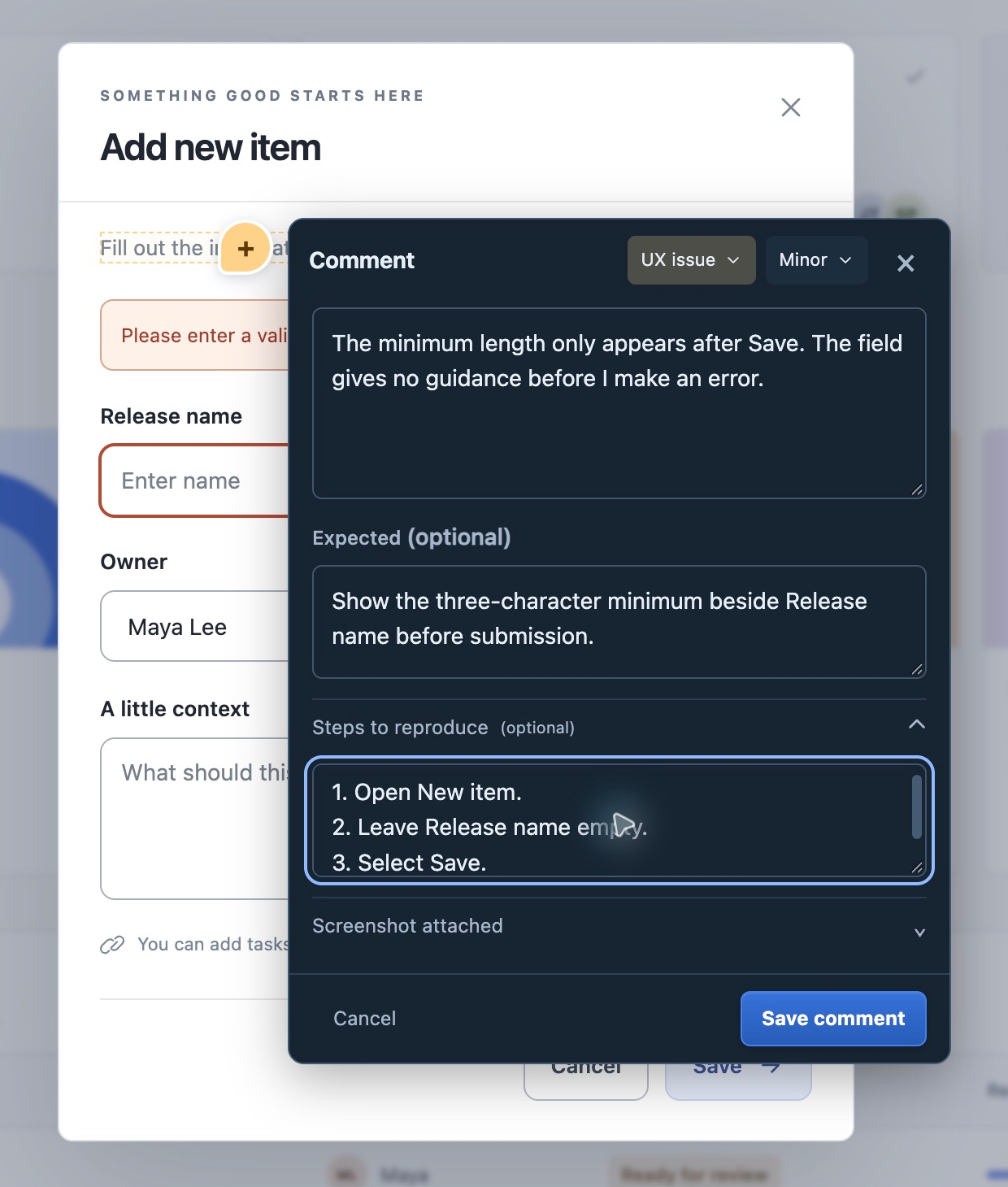
07Designing the AI review1 / 5
I gave the audit a question and a boundary.
I designed AI review as another pass over the work, with an explicit question and a bounded view of the evidence.
- Choose
- One entry opens Screen review or Journey test.
- Focus
- Use the current page, a live prototype or a frame reference.
- Ask
- For Atlas: inspect the action label, hierarchy and copy at this viewport.
Give AI a focus
07Designing the AI review2 / 5
Provider choice without losing the review’s history.
I made Anthropic and OpenAI separate connections, so provider choice would not erase the context of work already recorded.
- New work
- Uses the selected provider and its saved configuration.
- Saved journeys
- Keep their original provider for discussion, continuation and alternative routes.
- Responsibilities
- Screen review, journey actions and evaluation stay distinct.
Connection savedConnection savedHistory keeps its context.Saved journeys retain the provider recorded when they ran.
07Designing the AI review3 / 5
I made the limits of a finding visible.
I structured the reviewer around a versioned set of NN/g and W3C-informed checks, with three explicit assessment types.
- Visible observation
- Something the captured screen supports.
- UX recommendation
- A proposed improvement, with its rationale.
- Needs verification
- Behavior or accessibility that requires additional evidence.
Make the action’s purpose clear.
The primary action says “New item”.
Use “Create release” to name the outcome.
Check keyboard behavior and accessible semantics in the live interface.
07Designing the AI review4 / 5
Accepted findings returned to the page.
Accepted AI findings join the same comment system as human feedback. Acceptance is a reviewer decision.
- Locate
- A numbered pin keeps the page and viewport.
- Inspect
- The finding retains its evidence, assessment and guidance links.
- Act
- The Atlas suggestion becomes “New item” → “Create release.”
Keep it in context
07Designing the AI review5 / 5
The handoff became a verification brief.
I shaped the AI handoff .md around a small verification brief, giving a coding assistant a scoped change and a way to check it.
- Current
- The action says “New item.”
- Change to
- Use “Create release” to explain the action.
- Verify
- Check desktop and phone, the release form, and keyboard access.
The action is ambiguous.
Match the reference label and treatment.
- Desktop and phone layouts
- Opens the release form
- Keyboard access still works
08Making journeys inspectable1 / 5
A journey needed a goal and a perspective.
I brought screen review and journey testing into one entry. Journey setup makes the intended task and simulated perspective explicit.
- Task
- Set a goal, optional success criteria and test data.
- Perspective
- Choose confidence, familiarity, persistence, review focus and exploration style.
- Benchmark
- An action target measures the attempt; passing it does not stop execution.
- Technical confidence
- Moderate
- Product familiarity
- Low
- Task familiarity
- High
- Persistence
- Moderate
A benchmark for the attempt.
Passing it does not stop the journey.
08Making journeys inspectable2 / 5
I separated trying the task from judging the attempt.
I gave acting and evaluating different responsibilities, with the reviewer deciding which findings become comments.
- Journey User
- Attempts the goal. Diffuse validates each proposed action against a fresh page observation.
- Journey Evaluator
- Inspects saved evidence and answers questions; it cannot operate the website.
- Continuity
- A saved journey keeps its original Anthropic or OpenAI provider.
Goal + persona + fresh page observation
Review evidence + answer follow-up questions
08Making journeys inspectable3 / 5
The attempted route became part of the evidence.
I made the attempted path inspectable: step notes, screenshots and a silent recording support the assessment.
- Inspect
- “Watch this step” opens its recorded moment.
- Control
- Pause, resume or stop; the ending retains a specific reason.
- Accept
- Useful findings become comments with page context and reproduction steps.
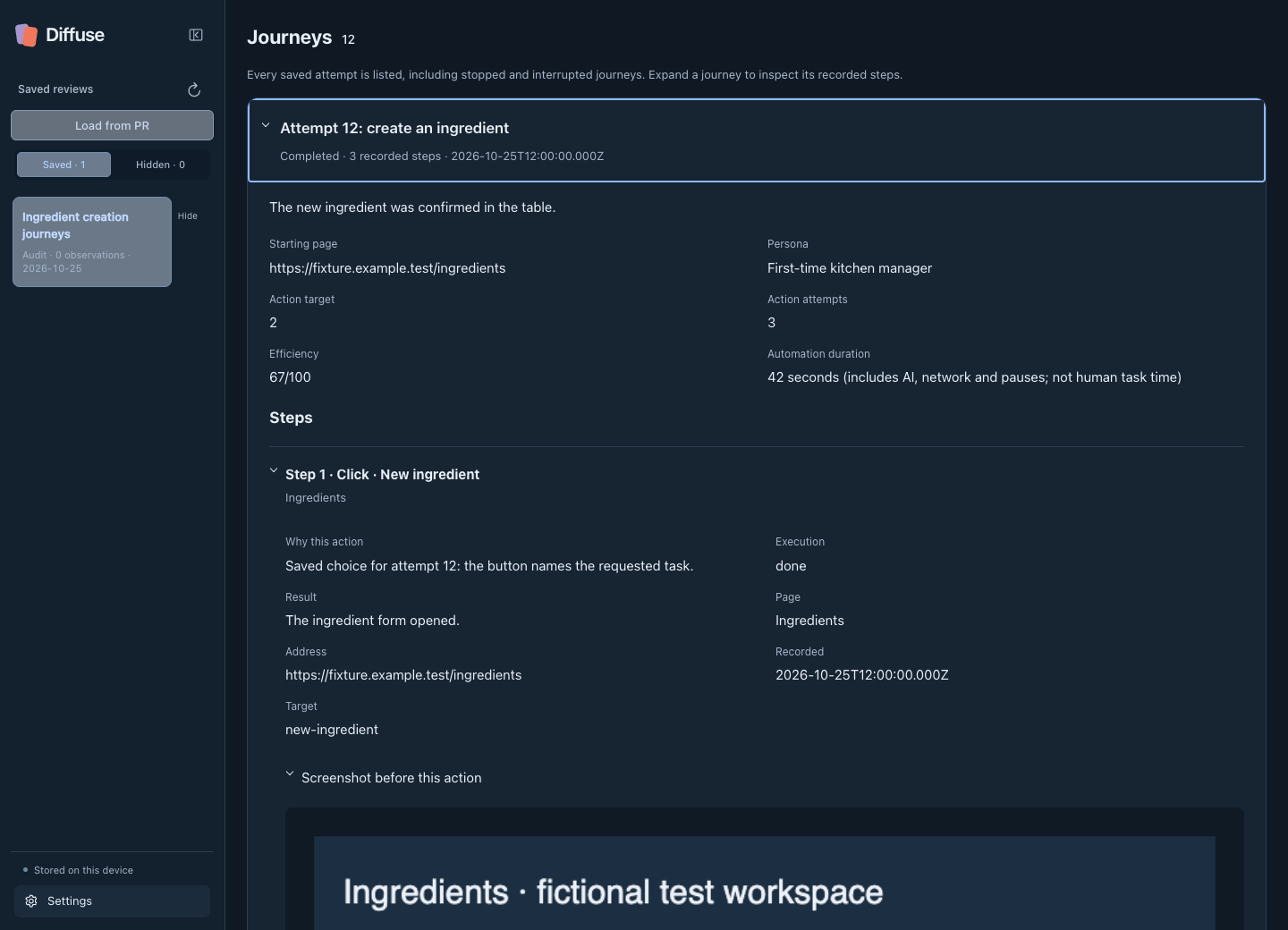
Action, execution and result.
The goal, persona and page.
The saved page capture.
08Making journeys inspectable4 / 5
A blocked attempt needed a way forward.
A blocker should leave room for judgment: an experience issue, an AI miss, or something still uncertain.
- Discuss
- Ask about the journey or one step, with links to saved evidence.
- Continue
- Use guidance in a linked attempt from the current page.
- Try another route
- Start a separate attempt from the original URL; preserve earlier evidence.
Use the guidance in a linked new attempt.
Edit the alternative and create a separate attempt.
08Making journeys inspectable5 / 5
An unfinished attempt still has something to tell us.
I added Journeys to Review Reports so an unfinished attempt remains inspectable, even with no accepted comments or executed actions.
- Context
- Keep the goal, persona, action target and known stop reason.
- Step ledger
- Retain the action, reasoning, execution status, result and page context.
- Evidence
- Include screenshots and recordings while stored; notes remain after older media clears.
09Designing the handoff1 / 5
Capture and sharing needed separate moments.
I separated capture from the second pass before sharing: refine the wording, choose what needs action and retain the evidence.
- Design peer
- Reopen a portable review.
- Coding assistant
- Work from the Markdown verification brief.
- Delivery team
- Send selected findings to Jira or the relevant GitHub PR.
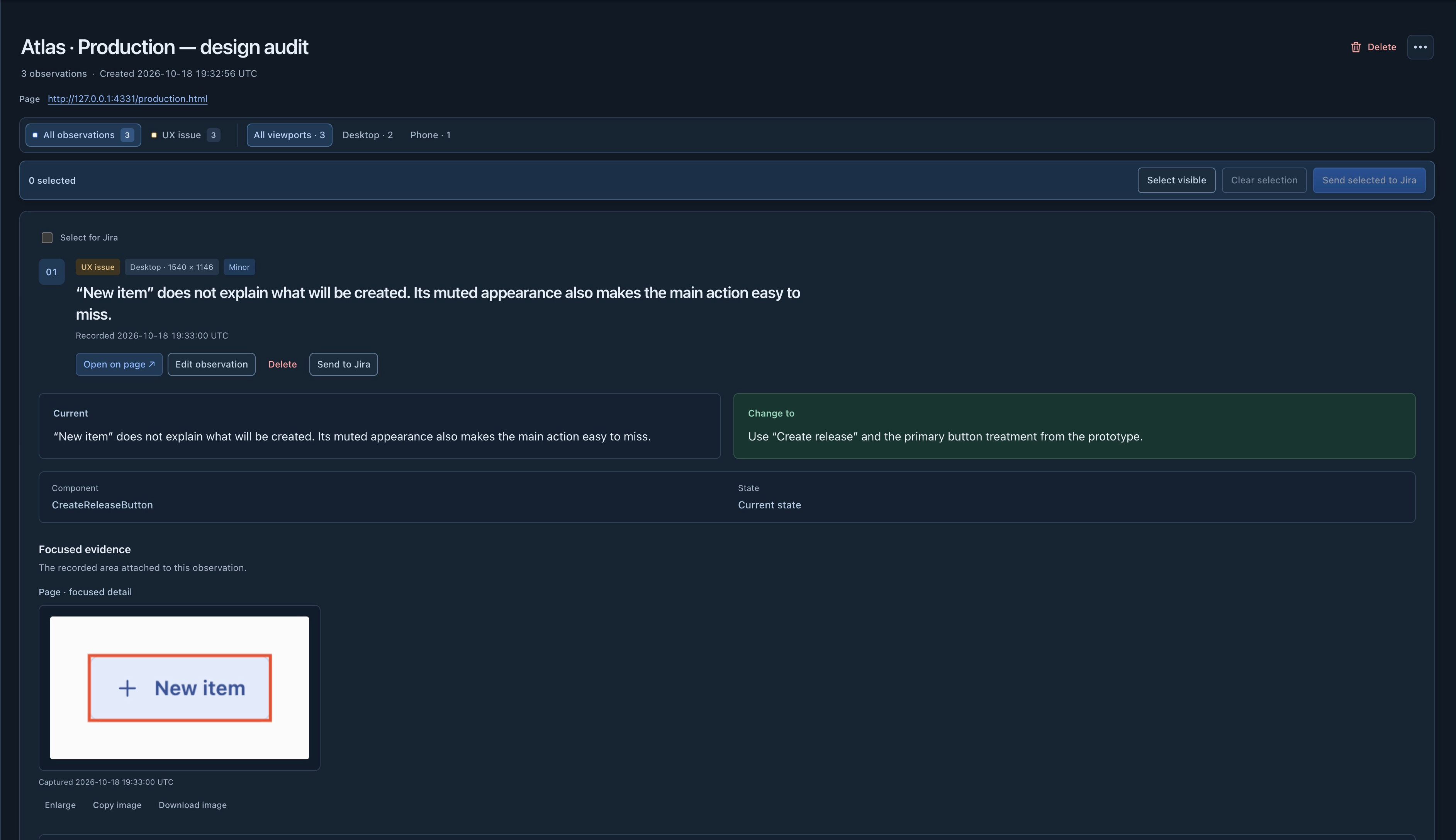
09Designing the handoff2 / 5
A review file became a way to continue.
I designed .diffuse-review.json as a portable handoff that could return to the interface without a shared ticketing system.
- Export
- Package saved comments and evidence.
- Share
- Pass the review to someone with access to the site.
- Continue
- Load it in Diffuse and inspect the original context.
Export review
09Designing the handoff3 / 5
The file carries the review.
The file carries the review context. The recipient still needs their own access to the reviewed site.
- Included
- Comments, evidence, page, viewport and recorded location.
- AI findings
- Accepted assessments retain their labels and guidance links.
- Separate
- Site login and unsaved application state stay on the original device.
Share file
09Designing the handoff4 / 5
Shared feedback had to return to the interface.
I paired export with Load review so the next person could interpret the feedback against the interface itself.
- Load
- Bring the saved comments into the sidebar and page.
- Select
- Restore the recorded page, viewport and location.
- Inspect
- Read the original explanation before deciding what to change.
Load review
09Designing the handoff5 / 5
I delayed ticket structure until the handoff.
I delayed Jira’s task structure until delivery, keeping quick capture separate from preparing an actionable issue.
- Prepare
- Edit the title and project fields in the preview.
- Attach
- Carry the selected finding’s screenshots or recording.
- Recover
- Delivery receipts and upload recovery help finish interrupted handoffs.
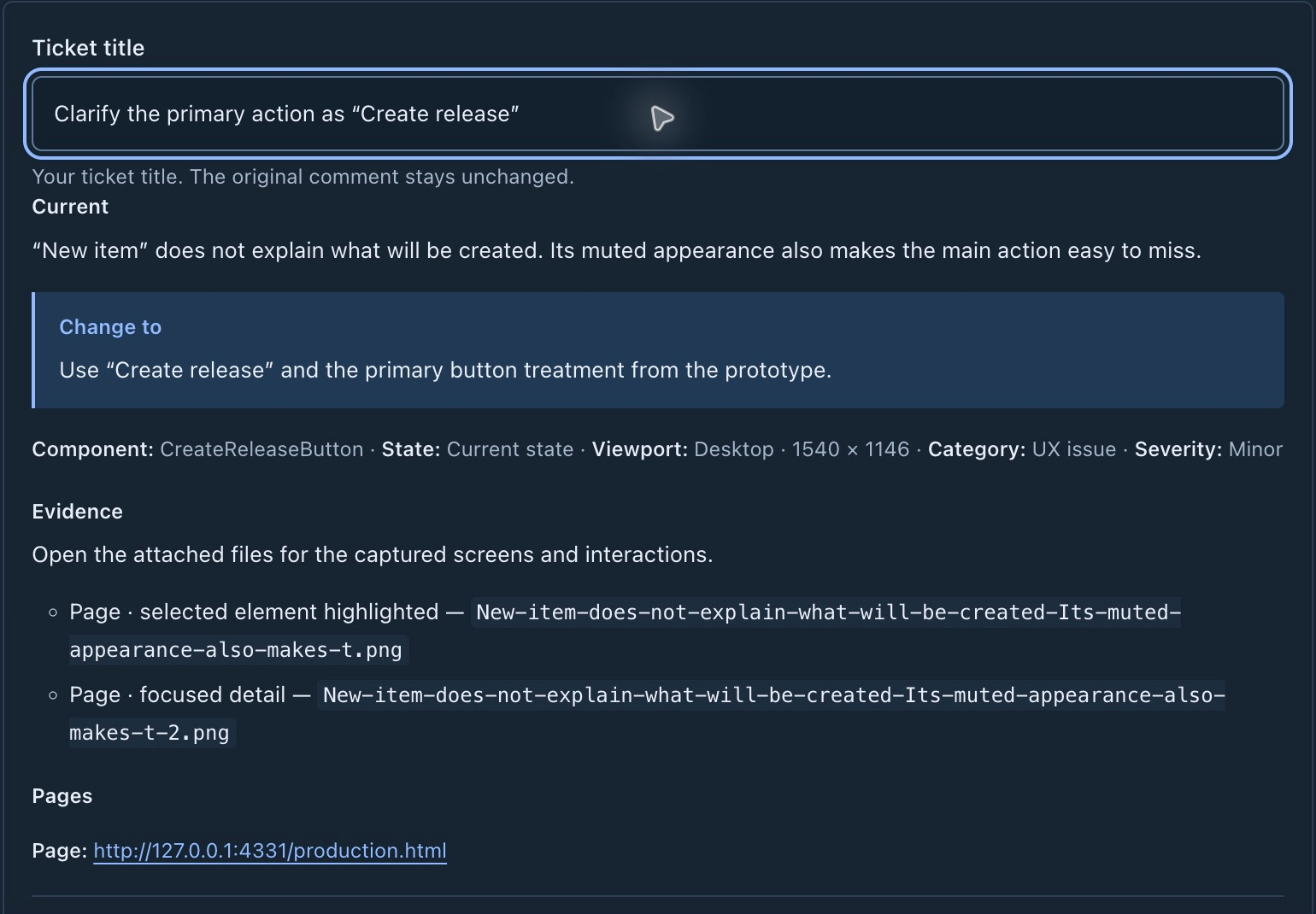
10Designing the recheck1 / 3
The feedback belongs with the change.
I extended GitHub review around the original finding, the proposed change and the later check.
- Preview
- Make the PR, working preview and reviewed commit explicit.
- Publish
- Keep selected findings in one summary with native evidence attachments.
- Respond
- Read in GitHub or load the review onto the working preview.
Publish findings
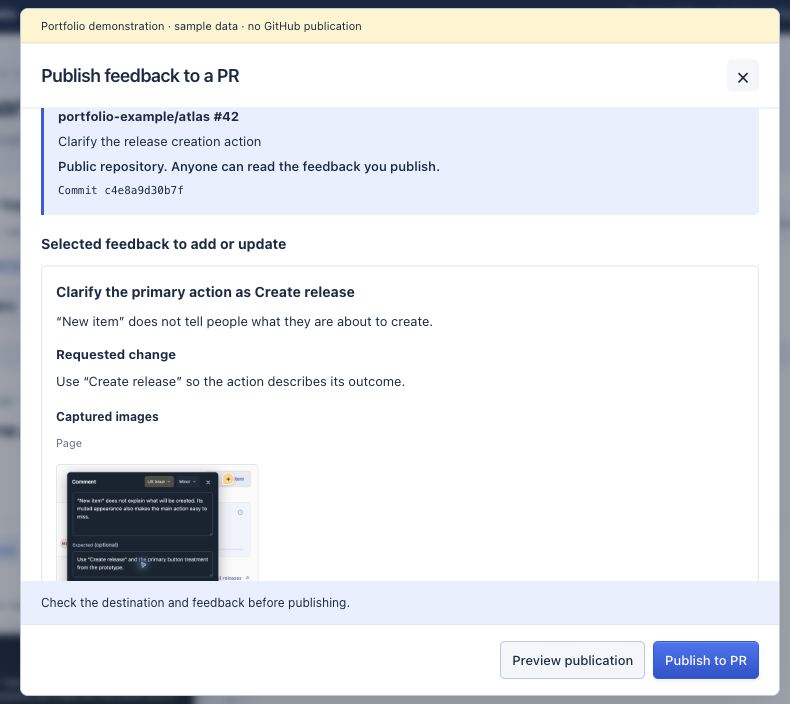 View full-size screenshot
10Designing the recheck2 / 3
I separated ready from verified.
A reviewee needs a way to show progress without declaring their own change verified.
- Recover
- Load the PR feedback and inspect the original capture.
- Adapt
- Remap the preview origin or moved pin while preserving the evidence.
- Return
- Capture the update and choose “Share update & mark ready.”
Show the change
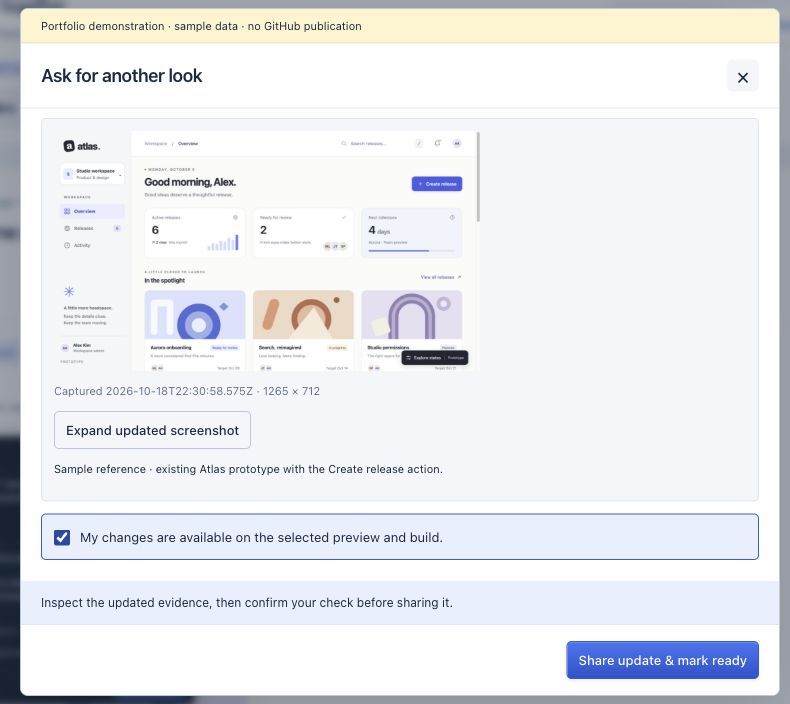 View full-size screenshot
10Designing the recheck3 / 3
Verification belonged to a specific build.
I tied verification to the preview and build that someone actually checked.
- Compare
- Inspect original and current evidence; capture the fresh check.
- Decide
- Choose “Verify on preview” or “Still present.”
- Revisit
- A new commit or changed preview makes the earlier check historical.
Recheck
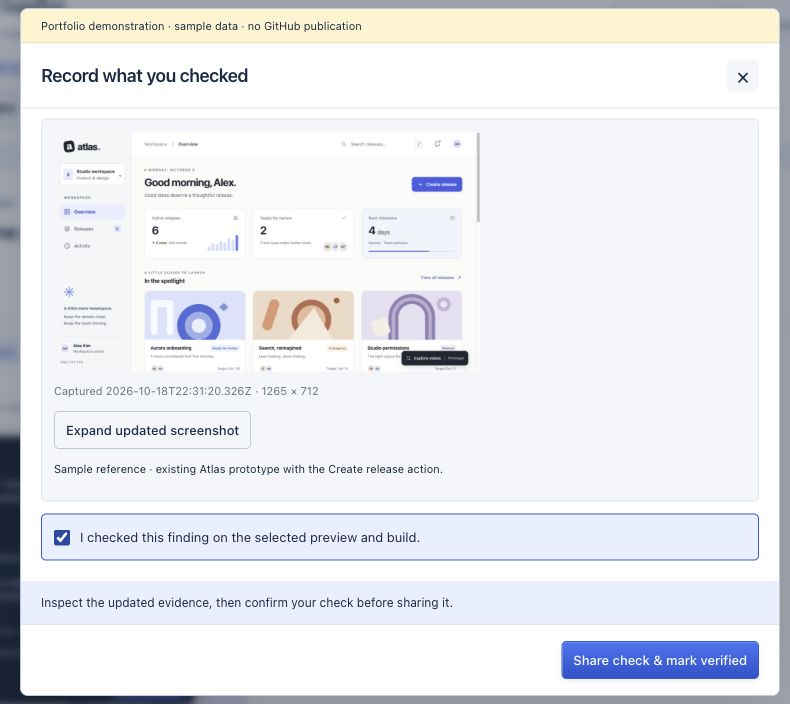 View full-size screenshot
11What I learned1 / 1
A review is a loop between people.
Building the plugin, apps, services and agents let me carry design intent through the whole review loop.
- Capture taught me
- Reduce initial decisions and keep evidence close.
- AI taught me
- Separate action from evaluation; retain unsuccessful attempts.
- Next validation
- Test whether another person can reproduce a finding and confidently recheck the change.
stays with it.
Explore Diffuse.
Explore the browser-based review workflow and the implementation behind it. Releases trace how capture, handoff and verification have evolved.
Independent project, v0.19. Personas and test records are illustrative; OpenAI live-account inference and wider adoption are not yet verified.
Make the primary action easier to find and understand.
Atlas · Overview